TWUniverse / Free Windows app

Business Insights

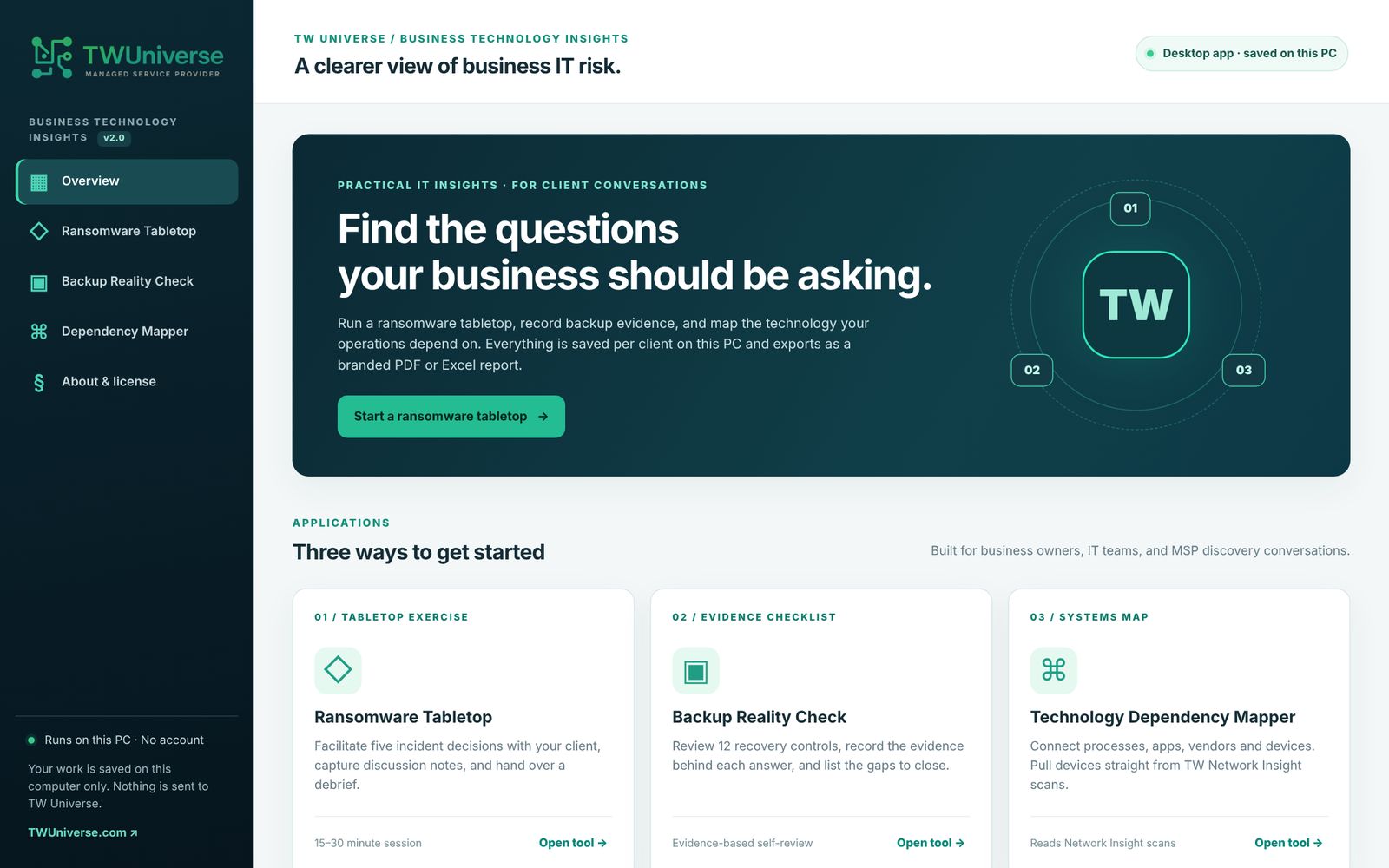
Three practical tools for the IT conversations every small business should have: what happens in a ransomware attack, whether your backups can really be restored, and what your operations depend on.

  • Ransomware Tabletop — five realistic decisions, discussion notes, and a debrief for your team.
  • Backup Reality Check — 12 recovery controls: what's verified, only documented, or unknown.
  • Dependency Mapper — map processes, apps, vendors and devices, and see the gaps.
  • Branded PDF and Excel reports with your organization's name and logo.
Windows 10 / 11No install, no accountRuns on your PCFree

Get the free download

Enter your details and the download starts right away.

Version 2.0.1 · 6.5 MB ZIP · Your details come only to TWUniverse. We never sell them.

What's inside

Three tools, one app

Everything is saved per organization on your computer, and every tool exports a report you can hand to leadership.

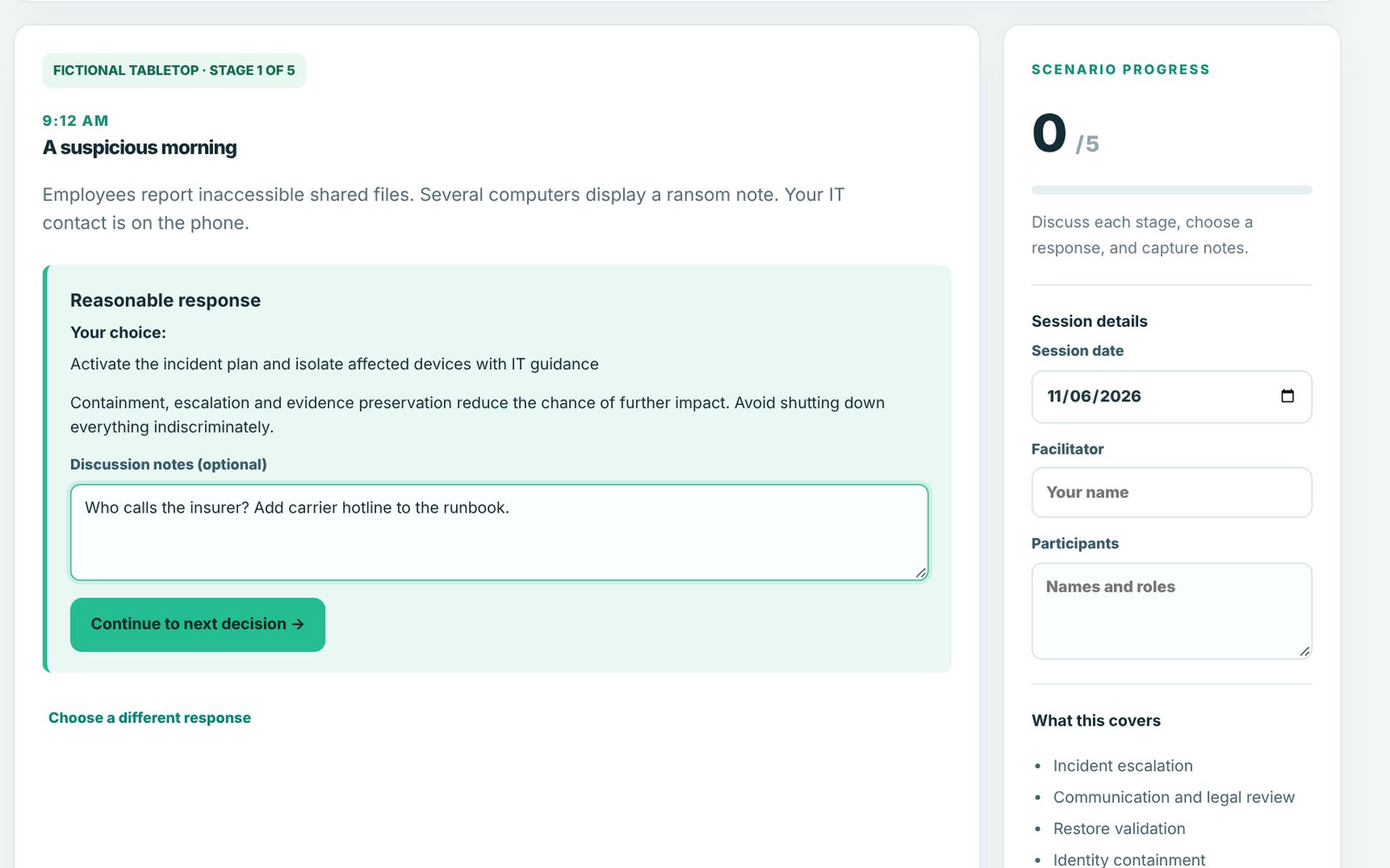
Ransomware Tabletop stage with a decision, guidance and discussion notes
01 · TABLETOP EXERCISE

Ransomware Tabletop

Walk your team through a fictional incident, from the first ransom note to getting back to business.

  • Five decisions with guidance on each choice
  • Facilitator, participants and discussion notes
  • Debrief PDF showing what to revisit
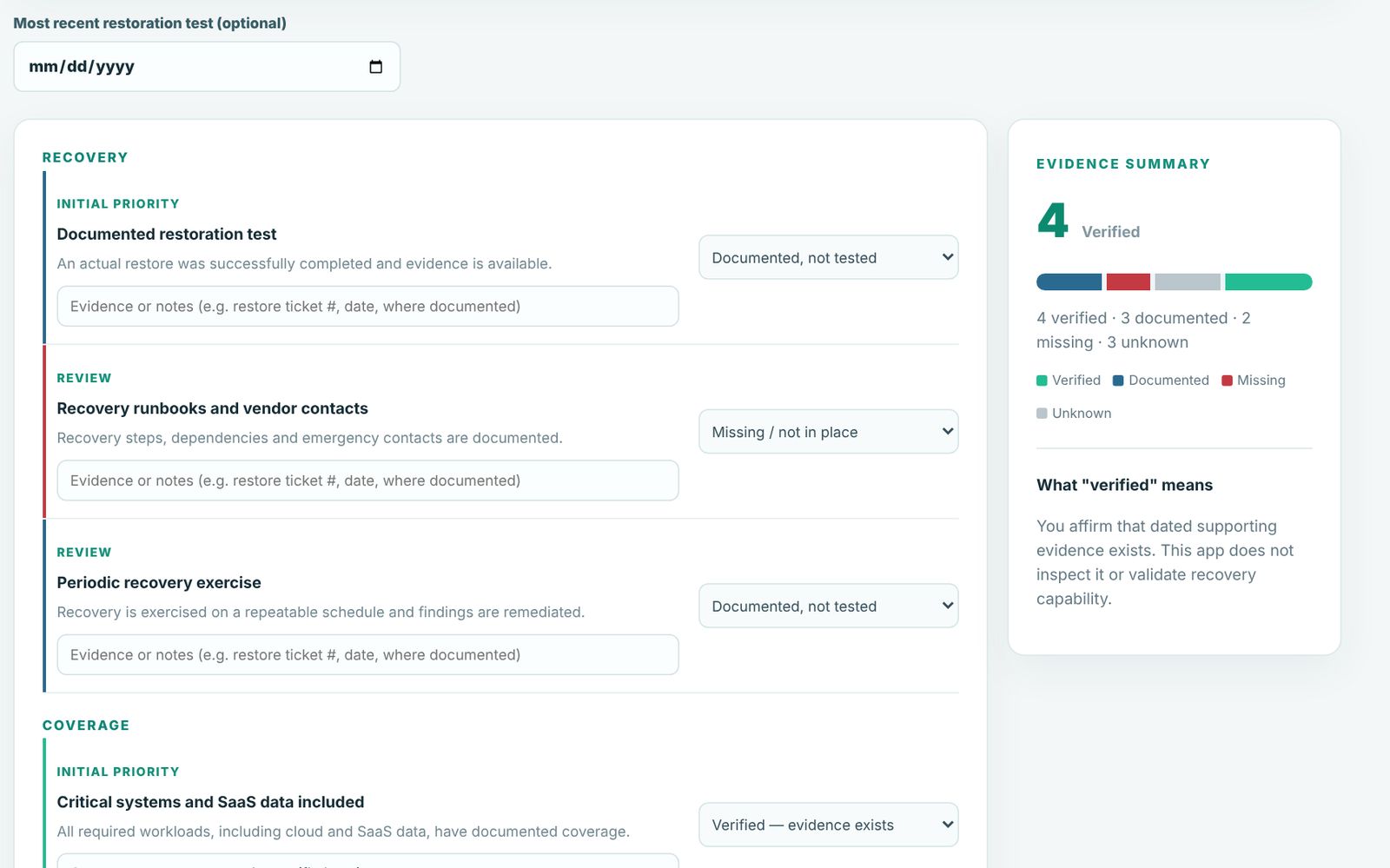
Backup Reality Check worksheet with evidence states and action items
02 · EVIDENCE CHECKLIST

Backup Reality Check

"Backups completed" isn't the same as "we can recover." Record the evidence behind each answer.

  • 12 controls across recovery, coverage, protection and planning
  • Evidence notes, last restore-test date
  • Prioritized action list in PDF and Excel
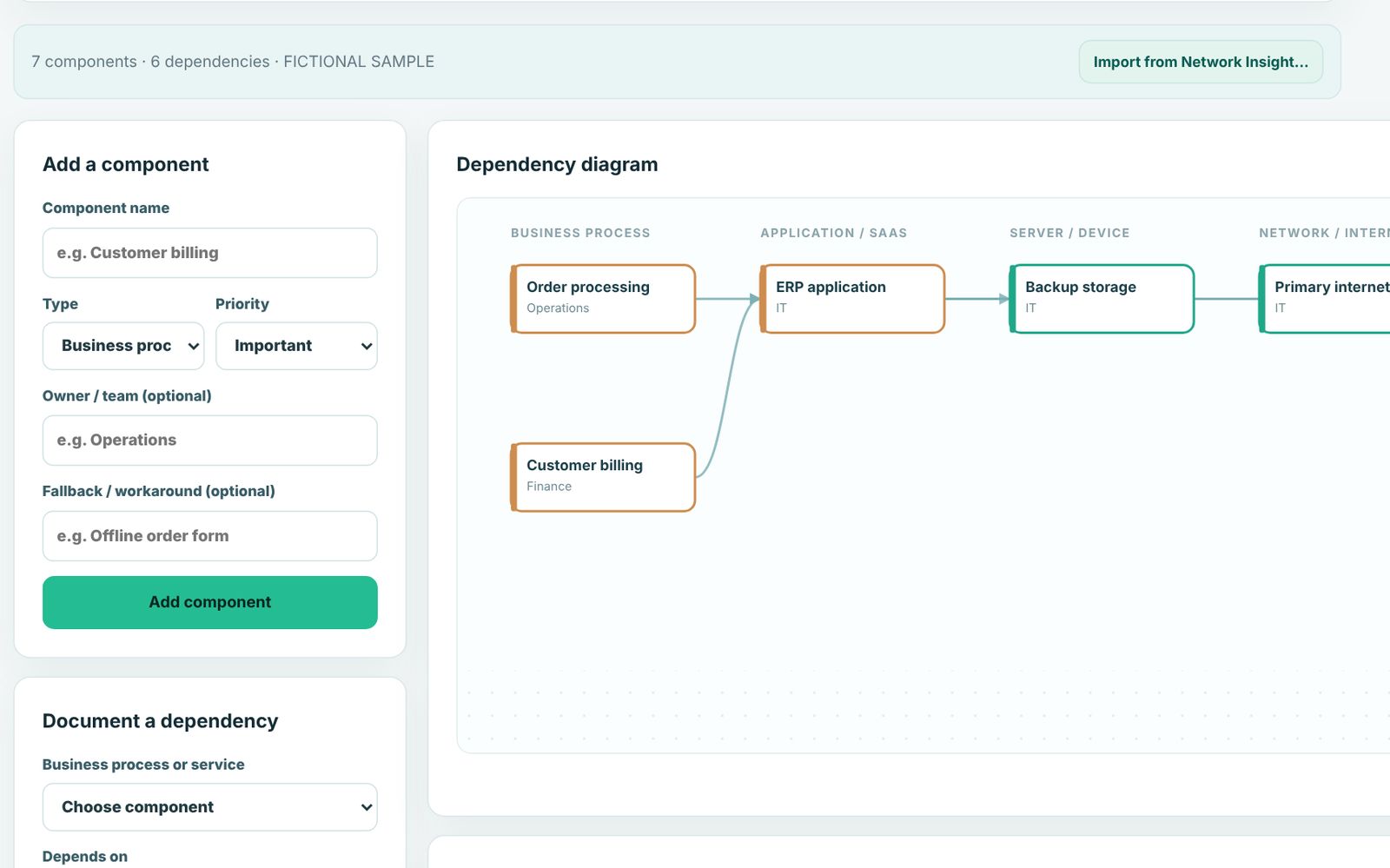
Dependency Mapper diagram connecting business processes to applications and infrastructure
03 · SYSTEMS MAP

Dependency Mapper

Connect what the business does to the apps, vendors and devices behind it.

  • Diagram, components and dependencies
  • Flags critical items with no fallback or owner
  • Imports devices from TW Network Insight scans
At a glance

Built for real conversations, not inflated scores

TW Business Insights overview screen

Your data stays with you

The app runs entirely on your computer. It makes no Internet connections, has no account, and sends nothing to TWUniverse. Your work is saved in your Windows profile, and you can delete it any time.

Requirements

  • Windows 10 or 11, 64-bit
  • About 12 MB of disk space
  • Microsoft Edge WebView2 (included with Windows 11 and current Windows 10)

Questions

Is it really free?

Yes. No trial, no license key, no account. We built it to help businesses have better IT conversations, and we're happy to help if you want a hand acting on what you find.

What do you do with my email?

The download starts right on this page; we don't email it. Your name, email and company come to TWUniverse so we know who downloaded the app, and we may email you once to ask how it went. We'll only send tips if you ticked the box. To stop hearing from us or have your details deleted, reply to any email from us or write to [email protected]. We never sell your details. Like most websites, we use service providers (Cloudflare to run the site and Resend to deliver our email) to process them for us.

Windows says "Windows protected your PC". Is it safe?

Windows shows that message for new apps it hasn't seen many times yet. Click More info, confirm the file is TW-Business-Insights.exe, then Run anyway. The app doesn't need administrator rights and doesn't change any settings on your computer.

Does it scan my network or computers?

No. Business Insights only records what you enter. For network discovery, TWUniverse uses a separate tool during an assessment, and the Dependency Mapper can import its results.

Is there a Mac version?

Not yet. It's Windows only for now.

Want a second set of eyes?

TWUniverse helps small and mid-sized businesses with managed IT, cloud, security and fractional IT leadership.

Contact TWUniverse →